Skip to content
Homesliced Software
Available nowFighting games · Rollback netcode

Project FGE

A modular fighting-game engine with rollback netcode, for Unity 6.

Unity
6000.0.85f1+
Version
1.0.0
Price
From $30 · Ultimate $149
License
Asset Store EULA
01 / 08

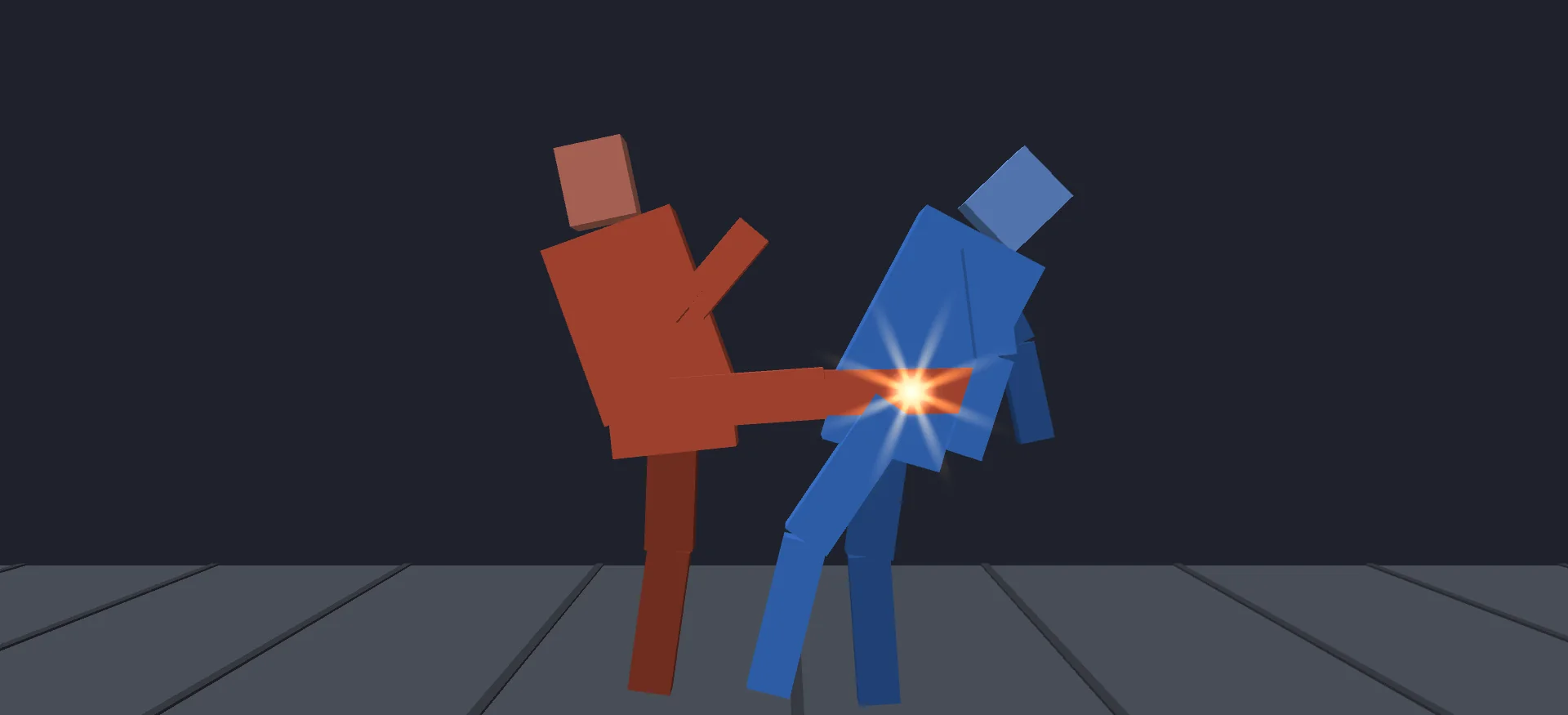
Fighter Core: the Versus sample. Two demo fighters, the HUD, hit sparks and a fight camera, all driven by the deterministic sim.

At a glance

Three modules that stack: Motion Input, Rollback Netcode and Fighter Core. Use one or all of them. Every core is deterministic, integer-only C# that allocates nothing per frame, and more than 640 tests ship with them.

8.9 µs
8-frame rollback of a full match (IL2CPP, median)
0 B
Allocated per frame in every core
1,558 B
Whole match state for save and restore
640+
Tests across every package
Rollback netcodeDeterministicMotion inputsFrame dataZero GCSource included

Features

What it does

Motion Input

Reads motions like a fighting game

Twelve built-in motions, plus your own as data. SOCD cleaning per axis, negative edge, chord windows, button priority and a buffer of up to 30 frames. Numpad notation goes straight from design doc to code.

Rollback Netcode

Rollback you can test offline

Prediction, save and restore, re-simulation, input delay, time sync and desync detection with 64-bit checksums. A seeded in-memory network adds latency, jitter, loss and outages without a second machine.

Online play

Online over UDP

Handshake, start alignment, redundant input acks and timeouts, over direct UDP or through a relay. The relay server's source is included: one Python file you run on your own server.

Fighter Core

The fight itself

Per-frame hit, hurt, throw and push boxes. Blocking, chip, counter hits, armor, throws and techs. Proration, hitstop, launches, meter, supers, bursts, projectiles and rounds.

Determinism

Same inputs, same match

Positions are integers (65,536 subpixels per metre) at a fixed 60 Hz. An IL lint fails the build on float opcodes or System.Random. The same match ends on the same checksum under IL2CPP, Mono and .NET.

Authoring

Moves are data

Author fighters and rules in code, in JSON with shipped JSON Schemas for autocomplete, or as ScriptableObjects. The inspectors show metres, metres per second and frames.
Modules

Buy what you need

Each module is its own package and listing. Start with one and add the rest when your game needs them, or get every module at once with Project FGE Ultimate. They share names and versions, so owning more than one never duplicates files.

Every module, one purchase

Project FGE Ultimate

All three modules in one purchase, plus Training Lab free when it ships. It installs the same packages as the separate listings, with the same names and versions, so every module updates the same way.

Motion InputRollback NetcodeFighter Core+ Training Lab when it ships

$149

Save $61 vs. $210 separately

Unity Asset Store

Motion Input

Available

Fighting-game input for any Unity 6 game. The reader is plain C# that runs headless.

  • 12 built-in motions; sequence, double-tap, charge and circle motions as data
  • SOCD rules per axis, numpad notation and a notation parser
  • Command tables with priority, negative edge and a buffer of up to 30 frames
  • Up to 4 seats, stable gamepad slots, keyboard halves and a touch pad
  • Rebinding, plus UI Toolkit glyph and input-history elements

Rollback Netcode

Available

Rollback netcode for any deterministic game, fighting game or not, and the UDP layer that puts it online.

  • RollbackSession for 1 to 4 players with input delay and prediction
  • Stalls at the rollback limit, 64-bit checksums and desync detection
  • LocalSession for training-mode style local delay
  • Seeded simulated link for latency, jitter, loss and outages
  • Direct UDP with session tokens, relay UDP, and a loopback transport
  • Handshake that refuses mismatched builds, start alignment and ack-redundant input
  • Relay server source included (Python 3.8+, standard library only)

Fighter Core

Available

A deterministic 2D fighting-game simulation, with views, HUD and a playable Versus sample.

  • Frame data, boxes, guard, throws, combos and proration
  • Meter, EX moves, supers, ultimates, Meter Cancel and bursts
  • Projectiles, hazards, helpers and rounds; 22 fighter hooks
  • Two demo fighters (a striker and a zoner) and an optional rollback bridge

Requires Project FGE Motion Input.

Training Lab

Planned

A training mode and combo validator built on Fighter Core. Not available yet. Project FGE Ultimate owners get it free when it ships.

Built in layers

Fighting games need a lot of separate systems: input reading, a deterministic simulation, rollback and a network layer. Most engines tie them together so tightly that you can't take one without the others. Project FGE keeps them apart.

  • Motion Input turns sticks, pads, keyboards and touch into clean fighting-game commands.
  • Rollback Netcode predicts, saves, restores and re-simulates any deterministic game, and carries the session online over UDP.
  • Fighter Core is the fighting simulation itself, and uses Motion Input to read commands.

Each module is a separate package and a separate purchase. They find each other through version defines, so a missing module never breaks your build. It only adds a note in the Console that says what's missing.

Why determinism matters

Rollback only works when both machines get the same result from the same inputs, every frame. Project FGE treats that as a hard rule, not a best effort. The cores run on integer math with no UnityEngine reference. They allocate nothing per frame and keep no mutable statics. A build step rejects floating-point code, so float math can't slip in later.

You get more than netcode out of it. Replays only need inputs. Bugs reproduce exactly. You can run a whole match headless under dotnet test and check its checksum against a known value.

Play it on day one

Every package ships samples you can open and play from the package:

  • Versus: two fighters, the HUD and the fight camera. F1 shows boxes, F2 hands P2 to the bot.
  • Rollback Paddle: two simulated machines with latency, jitter and loss sliders and a desync button.
  • Paddle Online: the same game over loopback, direct UDP or the relay.
  • Input Visualizer and Two-Player Routing: motions, history, device assignment and rebinding.

Ready to try Project FGE?

Check the specs and FAQ, or ask us whether it fits your project.